
How does a flexo printing machine compare to digital printing?
Practical, purchase-focused guidance for packaging and label buyers: cost of ownership, break-even vs digital, anilox and plate specs, substrate failures, prepress workflows, and inks/certification to reduce rejects and control run costs.
- 1) What is the true total cost of ownership (TCO) for a mid‑web flexo printing machine when I include inks, plates, anilox rolls, maintenance, and operator time?
- 2) How do I estimate the break‑even run length between flexo and digital for short‑run, variable label jobs, including makeready and plate costs?
- 3) Which substrates and coatings cause the most rejects on flexo presses (e.g., metallized films, cold‑seal varnishes), and what press features reduce those failures?
- 4) How should I specify an anilox roll (cell volume and line screen) to hit accurate spot colors and extended‑gamut printing while minimizing ink consumption?
- 5) What prepress and plate‑making workflow (resolution, screening, plate material) yields press‑ready flexo plates that match proofing for demanding brand owners?
- 6) For VOC regulations and food‑packaging safety, what ink and press options (UV, water‑based, solventless) should I choose and what are the certification steps?
- How does a flexo printing machine compare to digital printing?
- Conclusion: Why choose a modern flexo printing machine?
Flexo Printing Machine Buyer’s Guide: 6 Hard Questions Beginners Need Answered
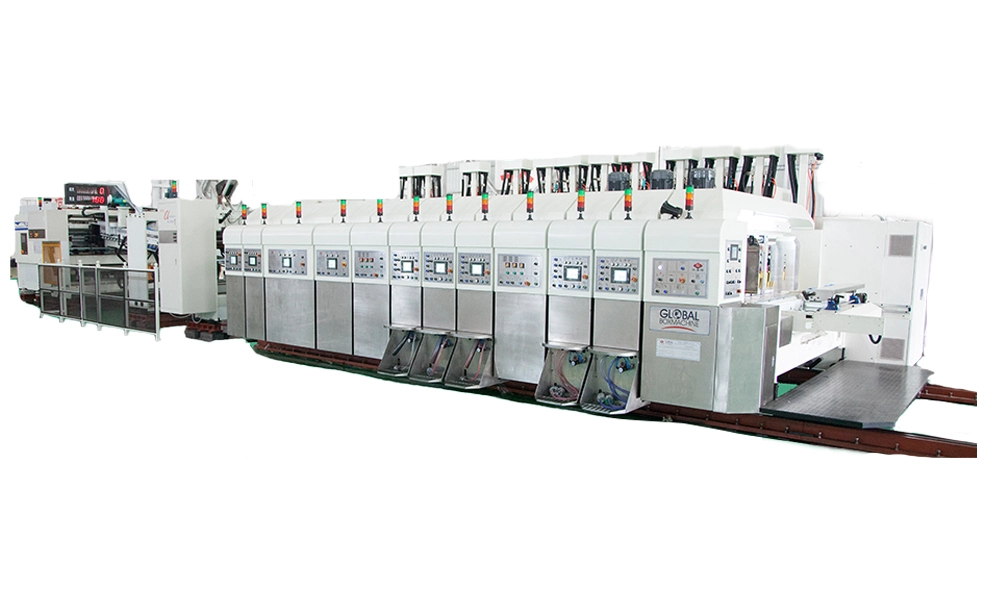
This article addresses six specific, frequently asked long‑tail questions about flexo printing machines that rarely have fully actionable answers online. It embeds practical advice on anilox selection, photopolymer plate workflows, web tension control, UV and water‑based inks, and how flexo compares with digital printing for real purchase decisions. Contact us for a quote at www.shinkomachinery.com or kl@keshenglong.com.cn.
1) What is the true total cost of ownership (TCO) for a mid‑web flexo printing machine when I include inks, plates, anilox rolls, maintenance, and operator time?
Why this matters: Many buyers focus on the machine price but ignore recurring consumables, preventive maintenance, and the labor burden of makeready. TCO drives whether the press is profitable on short versus long runs.
How to calculate TCO (practical method):
- Initial capital expenditure: press price, plate mounter, chill/IR/UV units, inline varnish or corona treater.
- One‑time prepress costs: plate imaging unit or outsource fees, RIP/software, color management setup.
- Recurring consumables per run: photopolymer plates, anilox wear amortization, inks (by mass/volume), varnish, adhesives, doctor blade or chamber replacement, cleaning solvents (if solvent‑based).
- Maintenance & service: annual service contract, spare rollers, motor/drives, regular anilox cleaning or recoating costs.
- Labor and overhead: average operator hourly cost × makeready and run monitoring time; utilities (electricity for UV/IR), and floor space cost if relevant.
- Depreciation & financing: allocate machine price over expected useful life (years or running meters) to get per‑unit capital cost.
How to convert to per‑unit cost: Sum (recurring consumables + allocated maintenance + operator time + allocated depreciation) and divide by expected run length (units or linear meters). The challenge is estimating anilox amortization: anilox performance degrades gradually; treat a new anilox as a capital item with a multi‑year life and amortize across expected meters.
Real‑world tip: the largest unexpected TCO items are makeready time (labor), plate remakes due to color changes, and anilox cleaning frequency if printing tacky or pigmented inks. Reducing makeready with precision plate mounting systems and automated register control can cut effective TCO by 10–25% on jobs with frequent changeovers.
2) How do I estimate the break‑even run length between flexo and digital for short‑run, variable label jobs, including makeready and plate costs?
Why this matters: Buyers need a repeatable method to decide whether to invest in a flexo press or use digital printing (inkjet or electrophotographic) or outsource.
Stepwise method (use a simple formula):
- Calculate fixed setup cost for flexo per job: plates (total cost of plates for colors + tooling), makeready labor (hours × hourly rate), any press setup materials. Call this F_flexo.
- Calculate variable cost per unit for flexo: ink usage, varnish, substrate wastage during setup, amortized anilox and plate wear per unit. Call this V_flexo.
- Get digital costs: many digital providers quote directly per unit (includes no plate cost). If operating your own digital press, split into fixed (job file prep, minimal makeready) F_digital and variable V_digital (ink, substrate, maintenance allocation).
- Break‑even run length N occurs where total cost is equal: F_flexo + V_flexo * N = F_digital + V_digital * N. Solve N = (F_flexo - F_digital) / (V_digital - V_flexo).
Practical considerations and example (indicative only):
- Flexo fixed costs can be significant when many unique plates are needed (e.g., multiple spot colors). Digital fixed costs are usually low, but variable cost per label is higher.
- Common market observation: for single‑label runs, digital is typically cheaper; for repeat jobs with runs beyond a few thousand units, flexo often becomes more cost effective — but the real threshold depends on plate costs and makeready time. Use the formula above with your market prices to get the precise breakpoint.
Decision tip: If your SKU portfolio includes many short, variable runs with heavy variable data, consider hybrid workflows (digital for variable data + flexo for static varnish or spot colors) or investing in automated plate changers to lower F_flexo.
3) Which substrates and coatings cause the most rejects on flexo presses (e.g., metallized films, cold‑seal varnishes), and what press features reduce those failures?
Why this matters: Substrate incompatibility and poor curing/adhesion are leading causes of waste and recalls in packaging. Knowing failure modes helps you specify features that reduce rejects.
Common problematic substrates/coatings and failure modes:
- Metallized films and high‑barrier laminates: adhesion issues with water‑based inks; require corona/primer treatment and sometimes solventless or UV systems for reliable bonding.
- Silicone‑coated liners and release materials: ink rub‑off and inconsistent ink laydown; requires adjusted anilox cell volume and careful doctoring.
- Cold‑seal varnishes and heat‑sensitive adhesives: thermal sensitivity causes smearing or tack pickup; often fixed with chilled unwind/rewind shafts and controlled IR/cooler zones.
- Very thin films (<12µ): web tension and curl lead to register drift and wrinkling; web tension control with dancer rolls and air‑shaft unwind is essential.
Press features that reduce rejects:
- Integrated corona treater and online surface energy measurement to ensure consistent adhesion across rolls and batches.
- UV or EB curing modules to cure low‑migration inks quickly and improve adhesion on metallized substrates; consider LED UV for lower heat on thin films.
- Precision web‑tension control (closed‑loop) plus vacuum chill rolls to manage heat‑sensitive coatings and keep varnish/adhesive behavior stable.
- Infeed sensors and automated register control to reduce start‑up waste and improve first‑good label rates.
Operational tip: Before buying a press, run a qualification test with your exact substrates and adhesives. A trial run with your production inks and varnishes on the vendor’s testbed identifies adhesion and cure issues before installation.
4) How should I specify an anilox roll (cell volume and line screen) to hit accurate spot colors and extended‑gamut printing while minimizing ink consumption?
Why this matters: Anilox selection controls ink film thickness, color density, and solid ink lay‑down — it directly affects color accuracy, dot gain, and ink costs.
Selection principles:
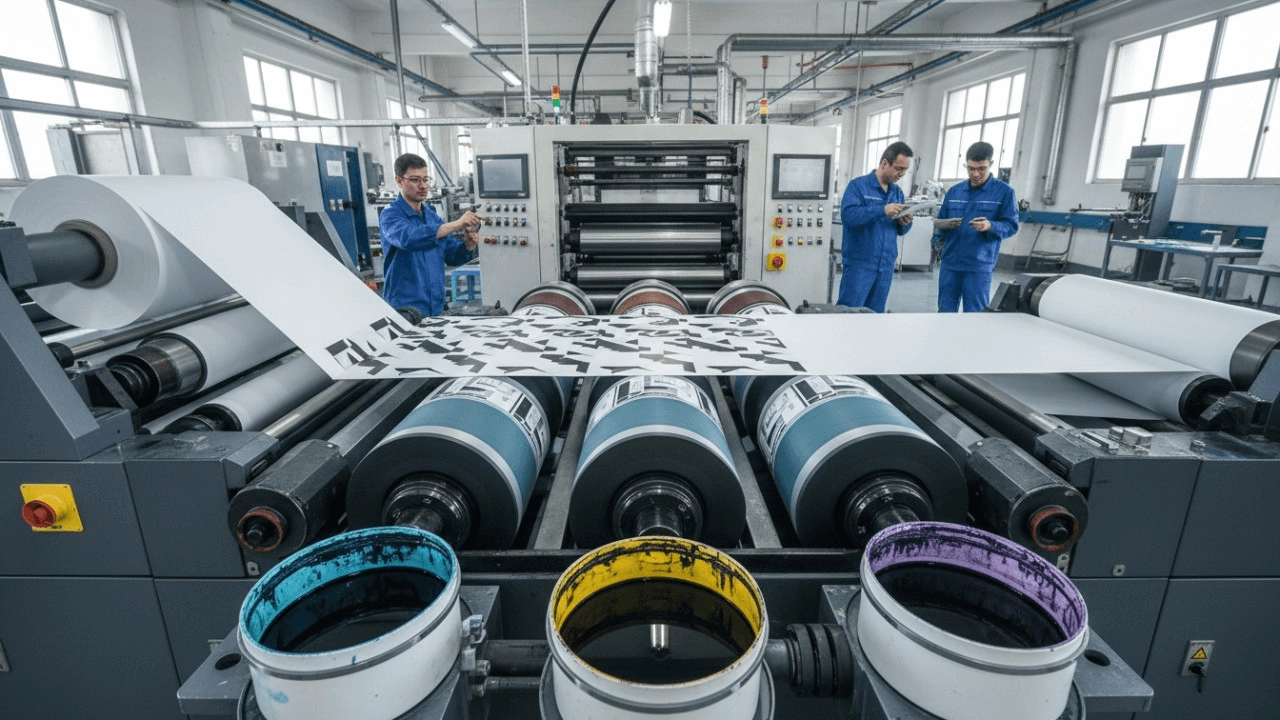
- Cell volume (commonly expressed in billion cubic microns or cm³/m²) determines ink available. Higher volumes for heavy solids and metallized inks; lower volumes for fine linework and halftones.
- Line screen / cells per linear unit: finer cell patterns support higher halftone frequencies and better detail but can clog with pigmented or particulate inks.
- Surface material: ceramic‑coated rolls are more wear‑resistant and easier to clean than chrome, sustaining consistent volume over longer life.
- Matching anilox to plate and screening: when using high‑resolution photopolymer plates and stochastic or hybrid screening (FM or FM/AM hybrid), choose a finer anilox to avoid excessive dot gain and preserve linework.
Operational examples (guidance, not absolute specs):
- Spot colors and solids on film: moderate to higher anilox volume to reach target L*a*b* densities but test for rub resistance.
- High‑detail graphics: lower anilox volume + high‑resolution plates + stochastic screening—this reduces ink spread and improves edge definition.
Care & maintenance: Regular anilox cleaning (ultrasonic or laser cleaning) and inspection with a cell‑volume measurement every 6–12 months preserves print consistency and avoids hidden cost escalation from degraded rolls.
5) What prepress and plate‑making workflow (resolution, screening, plate material) yields press‑ready flexo plates that match proofing for demanding brand owners?
Why this matters: Prepress errors are a major cause of color mismatch and rework. Brands expect color consistency across converters and runs.
Best‑practice workflow:
- Color management: build ICC profiles for each substrate/ink/press combination. Use spectrophotometer measurements of press proofs and create separation libraries for spot colors and extended‑gamut (CMYK+O G V).
- High‑resolution imaging: aim for plates imaged at resolutions suited to job detail (many converters use 2,000–4,000 dpi imaging for photopolymer plates). Pair this with appropriate screening—modern flexo benefits from hybrid or stochastic screening to reduce visible rosettes and control dot gain.
- Plate material: choose photopolymer plates with low shore hardness variation and excellent midtone stability for packaging. Digital flat‑top dot plates improve highlight stability and reduce dot gain versus older conventional plates.
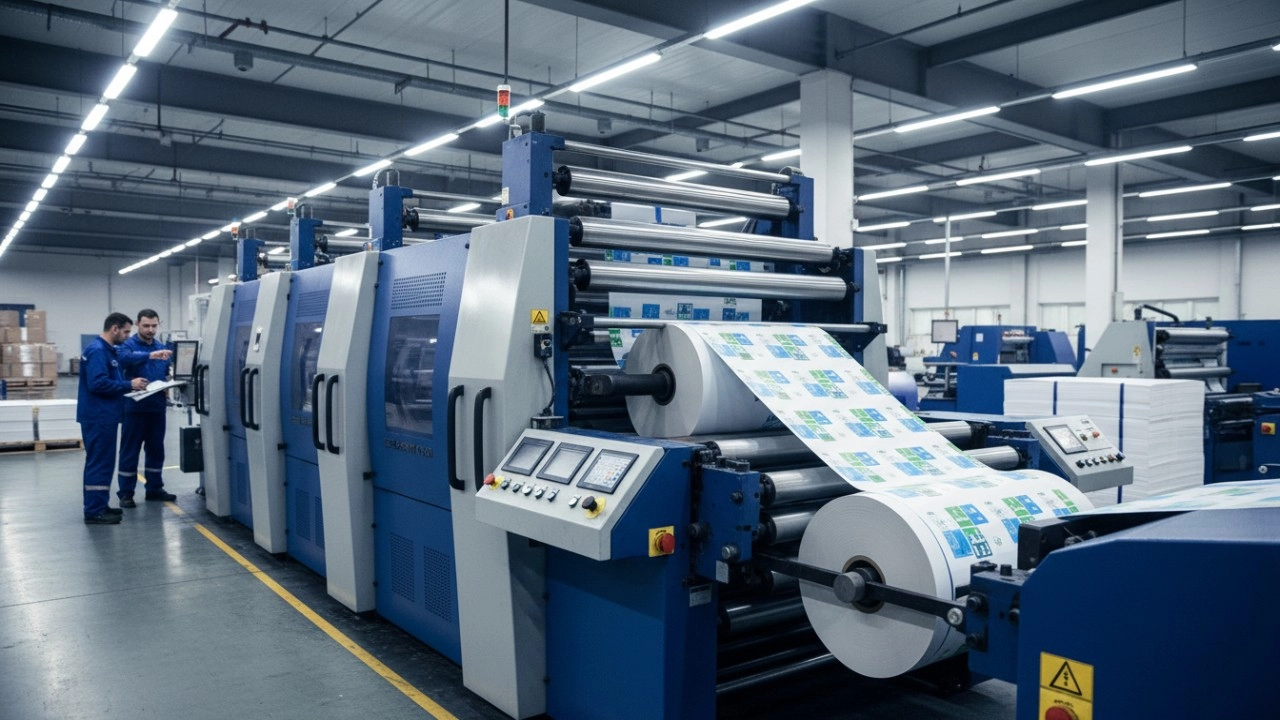
- Mounting and registration: use digital plate mounters and sleeve systems to reduce human error in register. Automated plate mounting and optical register systems dramatically cut makeready and improve first‑pass accuracy.
Proofing and verification: Use contract proofs (spectral) and, when possible, do a press proof on the actual substrate (short press run) to validate color. Record press curves and maintain a press fingerprint for ongoing color stability.
6) For VOC regulations and food‑packaging safety, what ink and press options (UV, water‑based, solventless) should I choose and what are the certification steps?
Why this matters: Regulatory non‑compliance can stop shipments and trigger recalls. Food contact materials involve migration testing and specific approval paths.
Ink technology options and compliance implications:
- Water‑based flexo inks: lower VOCs, widely used for paperboard and certain films; require proper drying (IR/air) and sometimes corona treatment for adhesion.
- Low‑VOC solvent inks: useful for difficult substrates but carry environmental and workplace controls; check local VOC limits and solvent recovery systems.
- UV and EB inks: virtually no solvent VOCs and instant cure, beneficial for fast runs and metallized substrates. However, formulation must be suitable for indirect food contact (barrier layers and migration tests required).
- Solventless laminating adhesives and solventless inks: reduce VOC and often preferred in food packaging lines, but laminate qualification is required.
Certification and validation steps:
- Determine end use: primary food contact vs. non‑contact outer layer of packaging. Most inks are used on the non‑food contact surfaces with a tested barrier (coating/laminate) between ink and food.
- Use inks with manufacturer declarations (Declarations of Compliance) and request formulation data for migration testing.
- Perform migration and overall migration tests under relevant national standards (EU, FDA guidance, or local standards) for finished laminates or coated materials. Work with accredited labs for migration testing and sensory assessment if needed.
- Document supply‑chain traceability: ink lot, substrate lot, press conditions, curing energy. Many brand owners require this for audits.
Practical buyer advice: choose a press with flexible curing modules (UV/LED + IR/air) and consider a solvent‑recovery system if you will run solvent inks. Factor in the cost and time of migration testing when specifying press capability for food packaging lines.
How does a flexo printing machine compare to digital printing?
Short answer: Flexo and digital each excel at different use cases. Flexo gives the lowest unit cost and highest throughput for medium‑to‑long production runs and broad substrate compatibility (films, paperboard, labels) when using the right anilox, plates, and curing. Digital printing (inkjet or electrophotographic) wins on very short runs, variable data, and fast turnaround without plates.
Key comparison points to guide purchase decisions:
- Run length economics: Flexo’s higher setup (plates, makeready) amortizes over long runs. Digital has minimal setup and constant per‑unit cost—ideal for short, variable runs or prototypes.
- Color and special effects: Flexo supports thick varnish laydowns, high‑opacity whites, metallics (with foil or metallized substrates) and in‑line effects such as tactile varnish or cold‑seal. Digital is improving with opaque whites and varnish stations but often requires hybrid workflows for special effects.
- Substrate range: Flexo presses can handle a wider variety of films and laminates, especially when combined with UV/EB cure modules. Digital substrate lists are growing but still more limited without pre‑coats or primers.
- Quality & consistency: Modern flexo with high‑resolution plates, stochastic screening, and proper anilox selection can match or exceed perceived quality of some digital systems for packaging graphics; digital excels at photographic detail and variable data without plates.
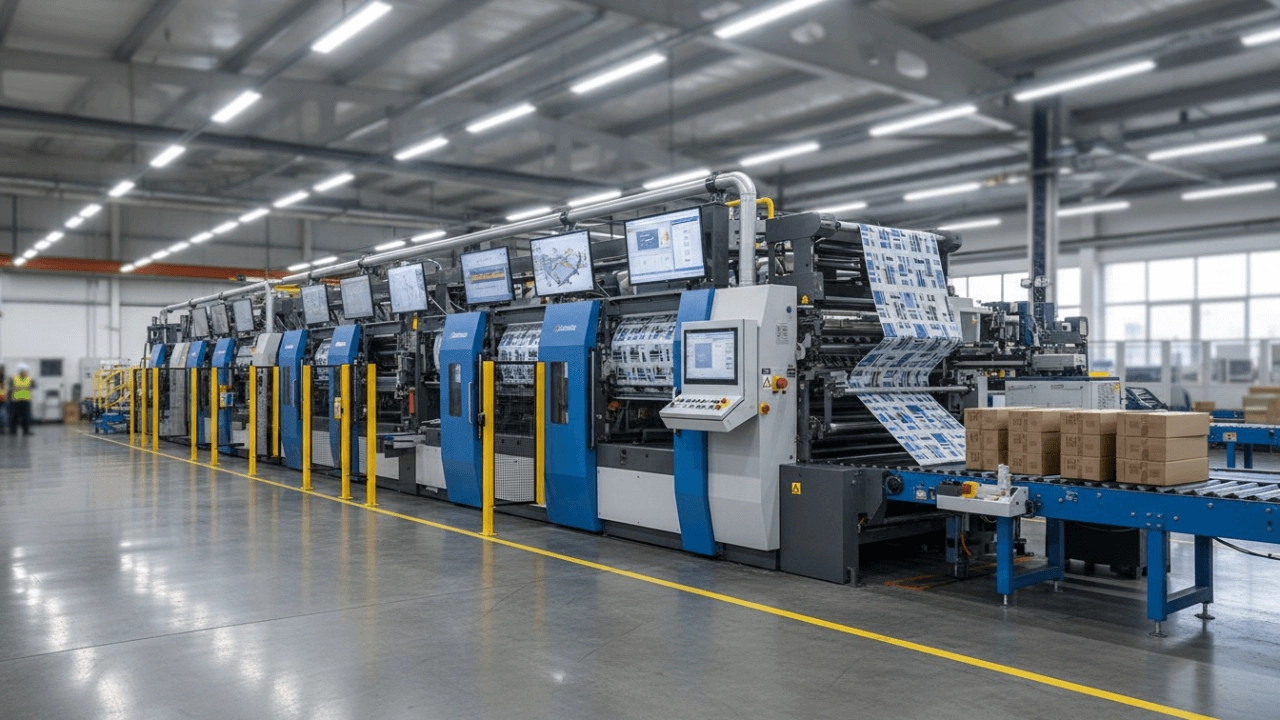
- Speed and throughput: Flexo presses (narrow/mid/wide web) are engineered for high linear speeds and inline finishing—rotary die cutting, laminating, and varnishing—minimizing handling. High‑speed digital presses exist but often need additional finishing steps.
Bottom line: If your business has stable SKUs with repeatable runs, frequent varnish or inline finishing, and diverse substrates, a flexo printing machine with modern automation is usually the better long‑term investment. If your work is dominated by personalization, very short runs, or fast prototypes, digital is complementary or primary.
Conclusion: Why choose a modern flexo printing machine?
When selected and specified correctly, a modern flexo press delivers low unit cost on medium to long runs, broad substrate compatibility (including metallized films and coated boards), high throughput with inline finishing, and excellent capability for spot colors, varnishes, and tactile effects. Investing in automation—digital plate mounting, closed‑loop web tension, LED/UV curing, and a robust prepress color management workflow—reduces makeready, improves first‑pass yield, and lowers total cost of ownership. For food packaging, choose curing and ink systems compatible with migration testing and VOC rules. For mixed portfolios, consider hybrid workflows combining digital for variable data and flexo for static varnish or heavy solids.
Ready to evaluate options and get a customized quote? Contact us at www.shinkomachinery.com or kl@keshenglong.com.cn to discuss press models, test runs with your substrates, and total cost projections.
Recommended for you
The Ultimate Guide to Choosing a Flexo Folder Gluer for High-Speed Carton Production
How to Optimize Your Flexo Printing Machine for Maximum Speed and Zero Defects
What is Flexographic Printing? The Ultimate Technical Guide & Process Breakdown (2025)
Top 10 Best Flexo Printer Manufacturers (2026): Reviews & Buying Guide
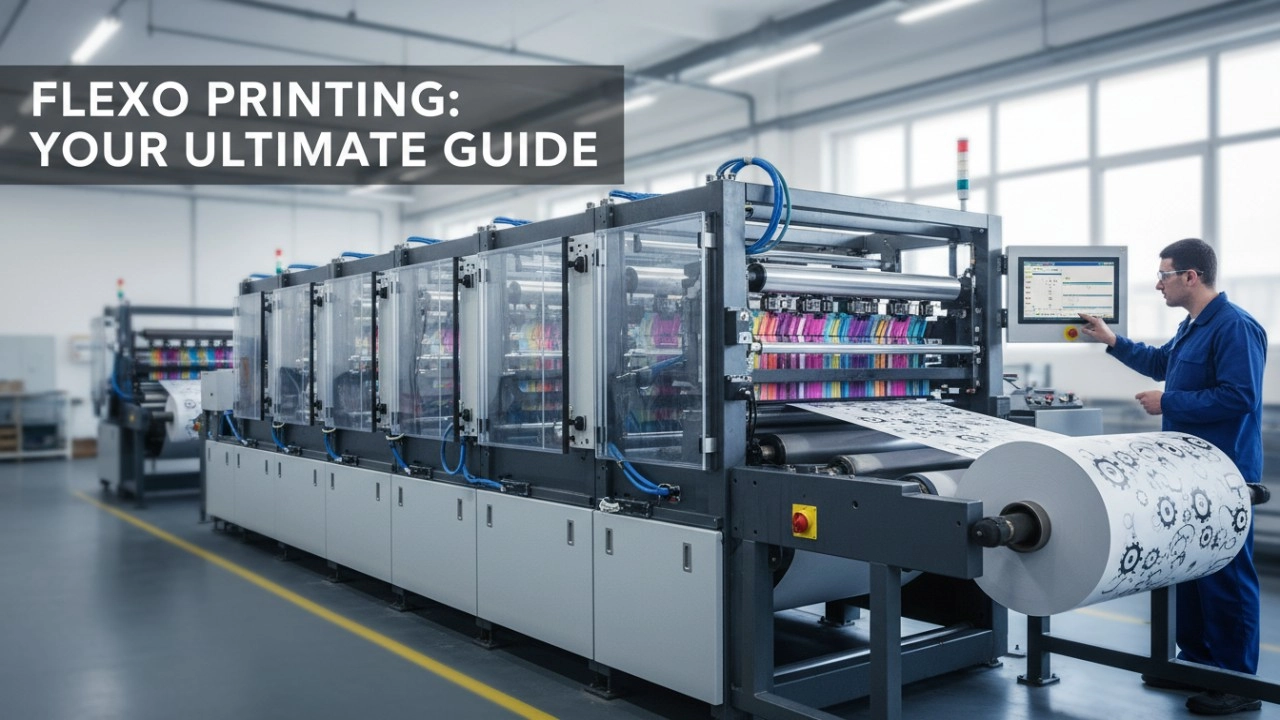
How to Select the Best Flexo Printing Press Manufacturer: A Data-Driven Checklist (2026 Edition)
Industry Solutions
How can your machines improve my production workflow?
By automating carton production, our machines streamline your workflow, increase output, and reduce downtime.
Do you offer solutions for environmentally friendly packaging?
Yes, our machines can produce cartons from recyclable and biodegradable materials, supporting sustainable packaging solutions.
Shipping
Can I track my shipment once it has been dispatched?
Yes, we provide tracking information for all shipments so you can monitor the delivery status.
What should I do if my machine arrives damaged?
If your machine arrives damaged, please contact our customer service immediately to arrange for repairs or replacement.
Product
What is the maximum speed of your folding carton machines?
Our machines can operate at speeds of up to 150 cartons per minute, depending on the model and carton complexity.
Leave a message
Have any questions or queries about our products? Please leave us a message here and our team will get back to you promptly.
* Rest assured that your privacy is important to us, and all information provided will be handled with the utmost confidentiality.


© 2025 Keshenglong & SHINKO All Rights Reserved.
Keshenglong Carton Packing Machine
Keshenglong Carton Packing Machine
Keshenglong Carton Packing Machine
Keshenglong Carton Packing Machine
Keshenglong Carton Packing Machine