
Maintenance Schedule and Troubleshooting for Flexo Presses
- Operational Reliability & Downtime Reduction
- Daily Checks: first line of defense
- Shift-to-Shift Handover and Documentation
- Key performance indicators (KPIs) to monitor
- Preventive Maintenance Schedule for Flexo Printer Machine
- Recommended maintenance intervals
- Parts life & consumables guidance
- Common Faults and Troubleshooting Workflow
- Systematic troubleshooting approach
- Top 10 faults and remedies
- Tools, Measurements and Data-driven Maintenance
- Essential diagnostic tools
- Using data to prioritize maintenance
- Comparison: Preventive vs Corrective maintenance
- Implementation, Training and Supplier Relationships
- Operator & technician training
- Service agreements and OEM support
- Continuous improvement loop
- FAQs
- How often should anilox rolls be cleaned?
- What are the first checks when a flexo press loses registration?
- Can preventive maintenance reduce ink consumption?
- What spare parts should I keep on-site for quick repairs?
- When should I involve OEM service versus internal maintenance?
- Contact & Next Steps
- References
This article distills best practices and actionable steps for maintaining and troubleshooting flexo printer machines. It is written for plant managers, press technicians, maintenance engineers, and procurement teams who need a verifiable, operations-focused plan to keep flexographic presses running reliably, maintain print quality, and optimize lifecycle costs.
Operational Reliability & Downtime Reduction
Daily Checks: first line of defense
Daily inspections are the quickest way to prevent small issues from escalating. For every shift, technicians should check web tension, basic register, ink transfer, and operator safety interlocks. Simple pass/fail checklists that require sign-off reduce variance in shift handovers and create an audit trail useful for root-cause analysis.
Shift-to-Shift Handover and Documentation
Standardize handover logs with fields for: jobs run, substrates used, anilox roll IDs, doctor blade types, ink batch, observed defects (streaks, slur, ghosting), and corrective actions taken. Linking each production run to the maintenance log helps correlate recurring defects to specific machine settings or consumables.
Key performance indicators (KPIs) to monitor
Track KPIs that have direct operational impact: mean time between failures (MTBF), press uptime percentage, first-pass yield (FPY), and average make-ready time. Monthly review of these KPIs drives targeted continuous improvement.
Preventive Maintenance Schedule for Flexo Printer Machine
Recommended maintenance intervals
Below is a practical schedule that balances machine uptime with necessary preventive care. Adjust intervals based on press age, production intensity, and environmental conditions.
| Interval | Primary Tasks | Why it matters |
|---|---|---|
| Daily | Clean ink zones, inspect anilox & doctor blade, verify web tension & guides, check safety gates | Prevents ink buildup, reduces web breaks, maintains print quality |
| Weekly | Deep clean anilox cells, lubricate specified bearings, check vacuum & suction systems | Preserves anilox performance; reduces mechanical wear |
| Monthly | Inspect gears, belts, registration systems, encoder calibration, electrical cabinet filters | Detects alignment drift and electrical overheating early |
| Quarterly | Replace wear parts (belts, hoses as needed), full alignment check, review PLC and HMI logs | Prevents catastrophic failures and maintains process control |
| Annually | Comprehensive inspection, bearings replacement if needed, motor & drive testing, safety audit | Extends press life and supports compliance with safety standards |
Parts life & consumables guidance
Typical service life varies by usage and environment. As a rule of thumb: doctor blades are inspected daily and replaced every 1–4 weeks depending on substrate and ink; ceramic anilox rolls, when properly cleaned and handled, often outlast other components and can last several years—inspection for cell wear should be monthly. Keep critical spares on-site (doctor blades, belts, vacuum filters, fuses) to reduce Mean Time To Repair (MTTR).
Common Faults and Troubleshooting Workflow
Systematic troubleshooting approach
Use a stepwise workflow: Observe → Isolate → Test → Repair → Verify. Start with non-invasive checks (operator settings, logs), then move to mechanical and electrical systems. Document each step and outcome so recurring problems produce data for process change.
Top 10 faults and remedies
- Color variation / density drift: Check ink viscosity, anilox condition, doctor blade contact, and temperature of the ink/ambient. Use spectrophotometer readings and ISO 12647-based target values to verify density.
- Registration issues: Verify encoder feedback, clutch/brake slippage, cylinder play, and web slitter alignment. Recalibrate registration sensors and test at reduced speed.
- Streaks / banding: Inspect the anilox for clogged cells, damaged chrome or ceramic surfaces, and ensure doctor blade uniform pressure.
- Web breaks: Check web tension zones, edge guides, foreign objects, and substrate quality. Monitor tension transducer readings for spikes.
- Inconsistent ink transfer: Confirm anilox cell volume and pattern are correct for the job, verify ink rheology, and ensure correct metering settings.
- Excessive vibration: Inspect bearings, shaft alignment, and coupling integrity. Use a basic vibration meter to localize source.
- Faulty safety interlocks: Inspect safety switch alignment, wiring, and HMI/PLC safety faults; do a documented safety test after repair.
- Electrical trips / overloads: Check motor currents against nameplate ratings, examine for motor overheating, check drive tuning and grounding.
- Poor lamination / adhesive problems: Audit adhesive selection, drying systems, and web handling path. Validate adhesive cure profile.
- Doctor blade chatter: Replace blade, check blade holder parallelism, verify correct blade angle and pressure.
Tools, Measurements and Data-driven Maintenance
Essential diagnostic tools
Keep a core toolbox for diagnostics: spectrophotometer or densitometer, handheld vibration meter, tension meter, infrared thermometer, basic multimeter, and a portable torque wrench. For strategic investment, add condition-monitoring sensors for vibration and temperature to critical bearings and drives.
Using data to prioritize maintenance
Capture fault codes and downtime reasons in your CMMS (Computerized Maintenance Management System). Rank prevention activities by impact on uptime and FPY. A Pareto analysis commonly shows that 20% of fault types account for 80% of downtime—target those first.
Comparison: Preventive vs Corrective maintenance
| Aspect | Preventive Maintenance | Corrective Maintenance |
|---|---|---|
| Timing | Scheduled (daily to annual) | After failure occurs |
| Cost Profile | Predictable, typically lower life-cycle cost | Potentially high, includes lost production |
| Impact on uptime | Improves uptime and quality | Reduces uptime until repair completes |
Implementation, Training and Supplier Relationships
Operator & technician training
Invest in targeted training: press make-ready procedures, basic troubleshooting, safe blade change practices, and anilox cleaning techniques. Cross-train operators and maintenance staff to expand first-response capability.
Service agreements and OEM support
Consider a tiered service agreement: basic remote support for PLC/HMI issues, scheduled onsite preventive maintenance, and expedited spare-part supply. OEM and certified third-party service providers often share diagnostic tools and parts knowledge that reduce MTTR.
Continuous improvement loop
Hold quarterly reviews with production, maintenance, and procurement to review KPIs, update the spare parts list, and optimize consumable selection (doctor blades, anilox specifications). Use lessons learned to refine the maintenance schedule.
FAQs
How often should anilox rolls be cleaned?
Clean daily or after each shift in high-production environments; perform a deeper cleaning weekly. Use approved cleaning solutions and ultrasonic or laser cleaning when recommended. Frequency depends on ink type and production load.
What are the first checks when a flexo press loses registration?
Verify encoder signals and tension stability, check for mechanical play in the printing cylinder bearings, confirm correct servo tuning, and inspect web guide alignment.
Can preventive maintenance reduce ink consumption?
Yes. Proper anilox condition and correct doctor blade setup reduce over-inking and waste, improving ink transfer efficiency and lowering consumption.
What spare parts should I keep on-site for quick repairs?
At minimum: doctor blades, anilox cleaning supplies, belts, vacuum filters, common fuses, sensor spares, and a spare encoder or basic electrical parts. Tailor the list to your press model and production profile.
When should I involve OEM service versus internal maintenance?
Use internal teams for routine preventive tasks and first-line troubleshooting. Involve OEM or certified technicians for complex drive/electrical failures, safety system faults, or warranty-covered repairs.
Contact & Next Steps
If you need a customized maintenance plan, spare-parts assessment, or on-site troubleshooting support for your flexo printer machine, contact our team to schedule an audit or demo. View our service contracts and product options to match maintenance coverage to your production goals.
References
- Flexography — Wikipedia (accessed 2026-01-12)
- Flexographic Technical Association (FTA) (accessed 2026-01-12)
- ISO Committee on Graphic Technology (accessed 2026-01-12)
Prepress workflow for high-quality flexo printing
Wholesale two color flexo printing slotting die cutting machine manufacturer and supplier
How to Choose the stitching and folder gluer machine manufacturer and supplier in us?
What are the application scenarios of flexo folder gluer?
Industry Solutions
Can your machines handle high-volume production demands?
Yes, our machines are designed for high-volume production, ensuring reliable and efficient operation.
Do you offer customized solutions for unique production needs?
Yes, we work closely with clients to develop customized solutions that meet their specific production requirements.
Product
Do your machines support automated quality control checks?
Yes, our machines can be equipped with automated quality control systems to ensure consistent production quality.
How do I adjust the machine settings for different carton sizes?
Machine settings can be adjusted using the intuitive control panel, which allows for quick changes to accommodate different carton sizes.
Shipping
Can I track my shipment once it has been dispatched?
Yes, we provide tracking information for all shipments so you can monitor the delivery status.
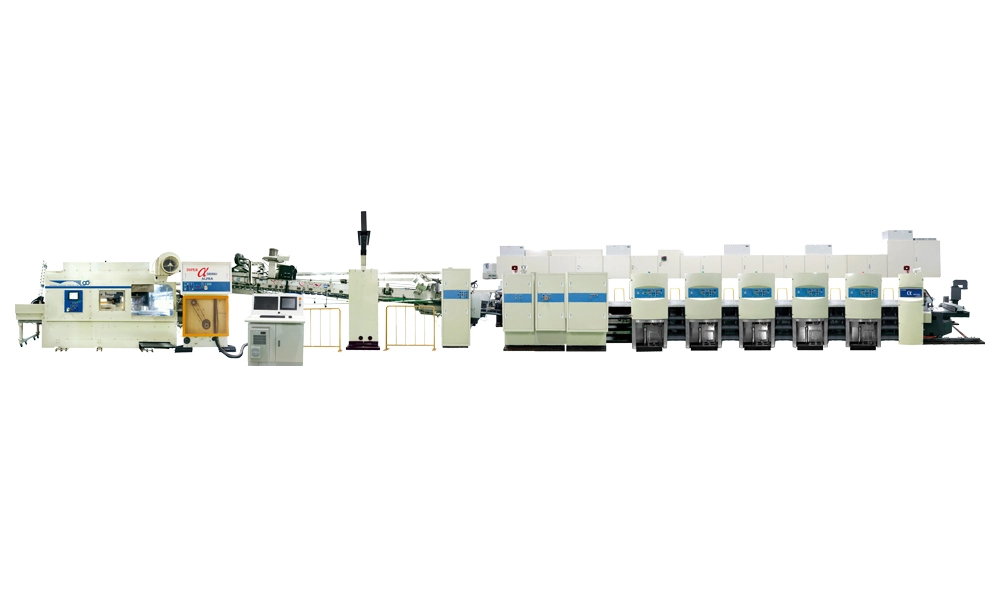
High-grade Full Automatic Flexo Printing Slotting Die Cutting Inline Folding Gluing and Countering Ejectoring Machine
Discover the Keshenglong&Shinko High-grade Full Automatic Flexo Printing Slotting Die Cutting Inline Folding Gluing and Countering Ejectoring Machine, the epitome of precision and efficiency. Ideal for modern packaging needs, this advanced machine streamlines operations by seamlessly integrating printing, slotting, die-cutting, folding, gluing, and ejecting processes. Elevate your production line with Keshenglong's innovative solution, designed to enhance productivity and deliver exceptional results.
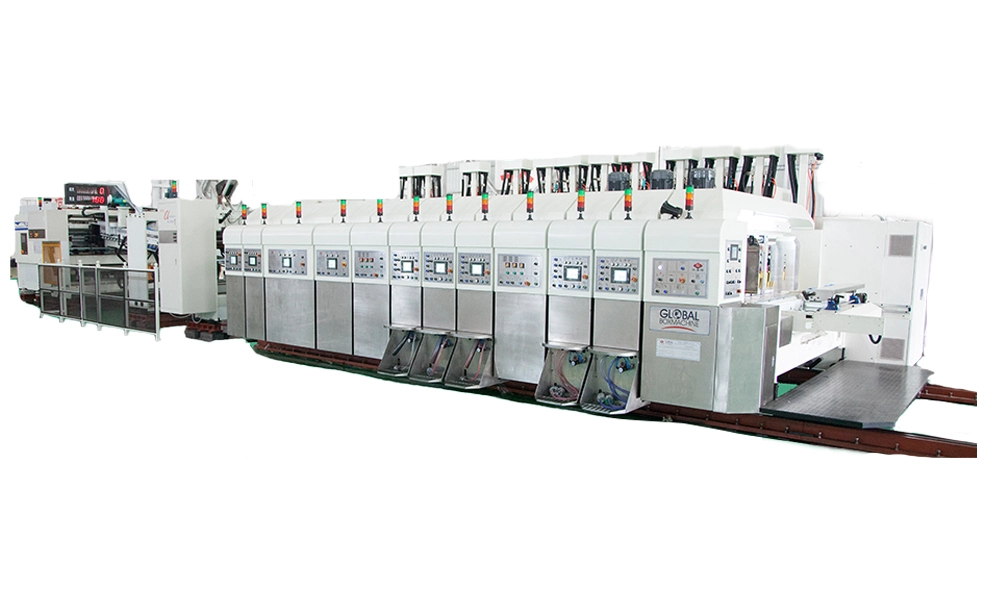
Computerized Flexo Printing Slotting Die-Cutting Inline Folding Gluing Countering Ejecting Machine
Introducing the Keshenglong&Shinko Computerized Flexo Printing Slotting Die-Cutting Inline Folding Gluing Countering Ejecting Machine. Engineered for precision, this advanced machine streamlines your packaging production with integrated Flexo Printing Slotting Die-Cutting functionalities. Seamlessly perform inline folding, gluing, countering, and ejecting—all in one efficient system. Designed for optimal performance, it enhances productivity while reducing downtime.
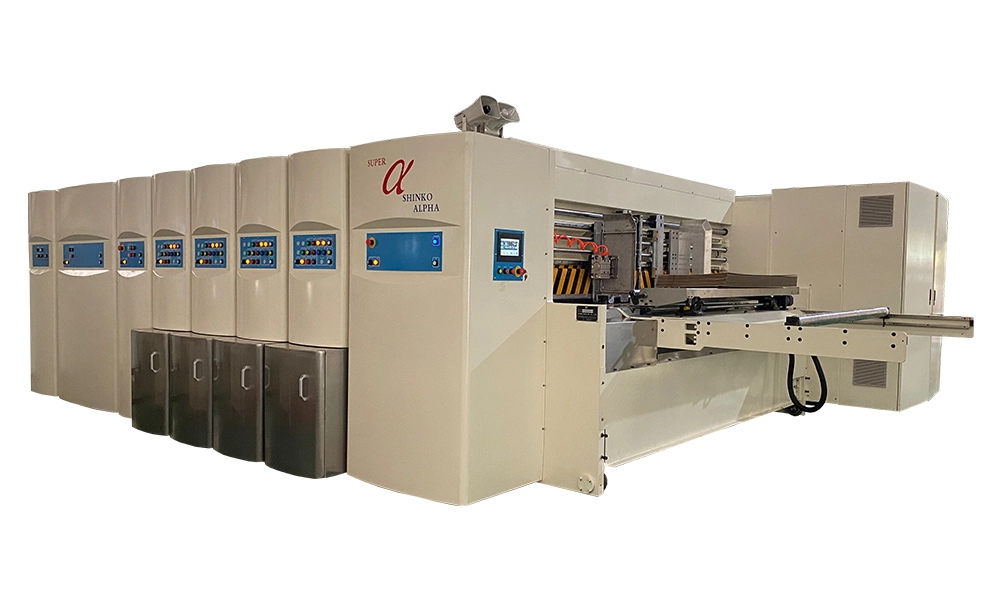
Shinko Super Alpha Movable Type Full Servo Drive Flexo Printing Slotting Die Cutting Machine
Introducing the Shinko Super Alpha Movable Type Full Servo Drive Flexo Printing Slotting Die Cutting Machine by Keshenglong. Engineered for precision and efficiency, this state-of-the-art machine enhances your production line with its advanced servo drive technology. Designed for seamless Flexo printing, slotting, and die-cutting, it ensures superior quality with every output.
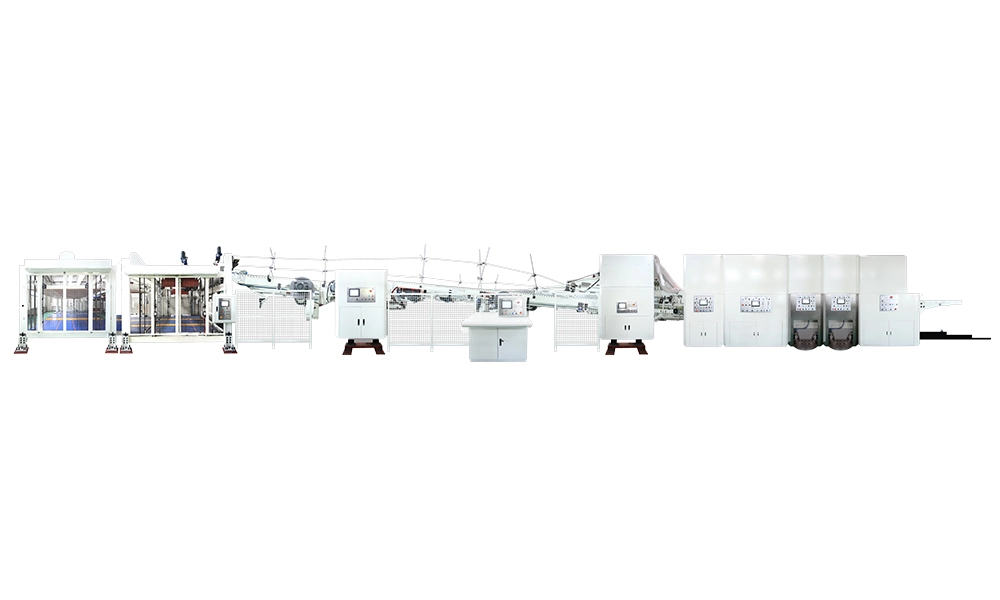
Jumbo Flexo Bottom Printing Slotting Die-Cutting Inline Folding Gluing Countering Ejecting Machine
Introducing the Keshenglong&Shinko Jumbo Flexo Bottom Printing Slotting Die-Cutting Inline Folding Gluing Countering Ejecting Machine. This advanced flexo printing slotting die-cutting machine ensures precision and efficiency for your packaging needs. Designed as a versatile flexo folder gluer machine, it optimizes every step from printing to ejecting, delivering seamless integration and superior quality.


© 2025 Keshenglong & SHINKO All Rights Reserved.
Keshenglong Carton Packing Machine
Keshenglong Carton Packing Machine
Keshenglong Carton Packing Machine
Keshenglong Carton Packing Machine
Keshenglong Carton Packing Machine